CBX on Magento 2
- Version
- 3.x
- Updated
Audience: store admins on Magento 2 · Scope: what is different on Magento, and which parts of this guide apply · Last reviewed: 2026-07-25
TL;DR — On Magento 2, CBX is the configurator; Magento is the shop. You build products, questions, rules and prices in CBX and attach them to your Magento catalog products — cart, checkout, orders, customers, emails, taxes, shipping and payment are all handled by Magento, exactly as for any other Magento product. Roughly half of this guide therefore isn't for you; this page tells you which half, so you never go looking for a screen that isn't there.
Articles
- Connect a CBX product to a Magento product — the one Magento-specific task: making a catalog product configurable.
Who does what — the one table to internalize
| Job | Done in | Where |
|---|---|---|
| Building the configurator — products, pages, questions, answers, rules, prices, visual preview | CBX | Configbox → Administration in the Magento admin |
| Product catalog, listings, product pages | Magento | Catalog → Products |
| Cart & checkout | Magento | the standard Magento storefront |
| Orders, invoices, shipments, credit memos | Magento | Sales → Orders |
| Customers and accounts | Magento | Customers |
| All customer emails (order confirmations etc.) | Magento | Magento's transactional emails — CBX sends no email here |
| Taxes | Magento | tax classes/rules on the Magento product; configurator prices follow them |
| Currencies, price display, languages | Magento | store configuration and store views |
| Shipping & payment methods | Magento | Magento's shipping/payment setup |
| Discounts & promotions | Magento | cart price rules, applied on top of the configured price |
Your CBX menu is shorter — that's normal
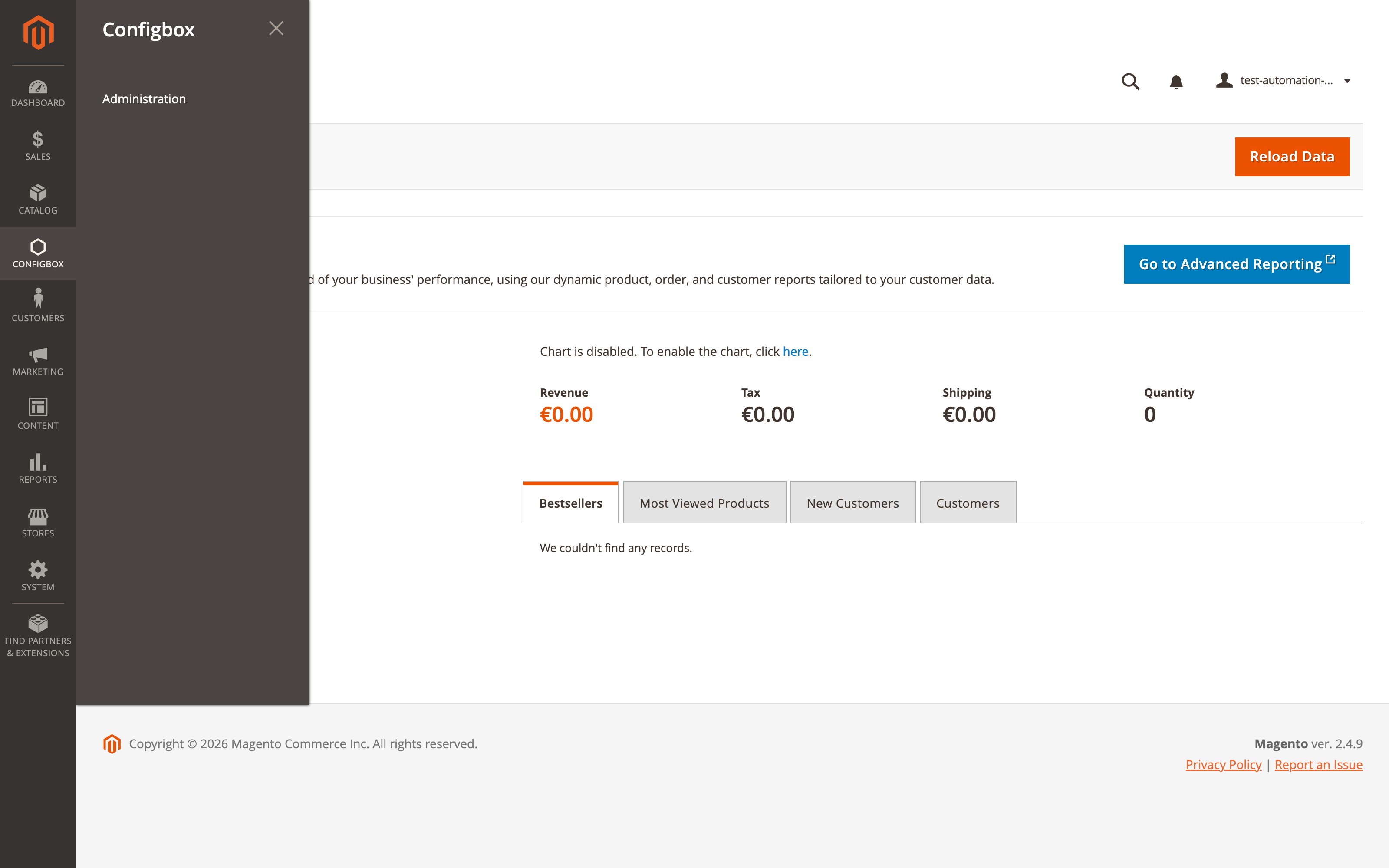
You reach CBX through the Configbox entry in the Magento admin sidebar — its single item, Administration, opens the complete CBX admin:
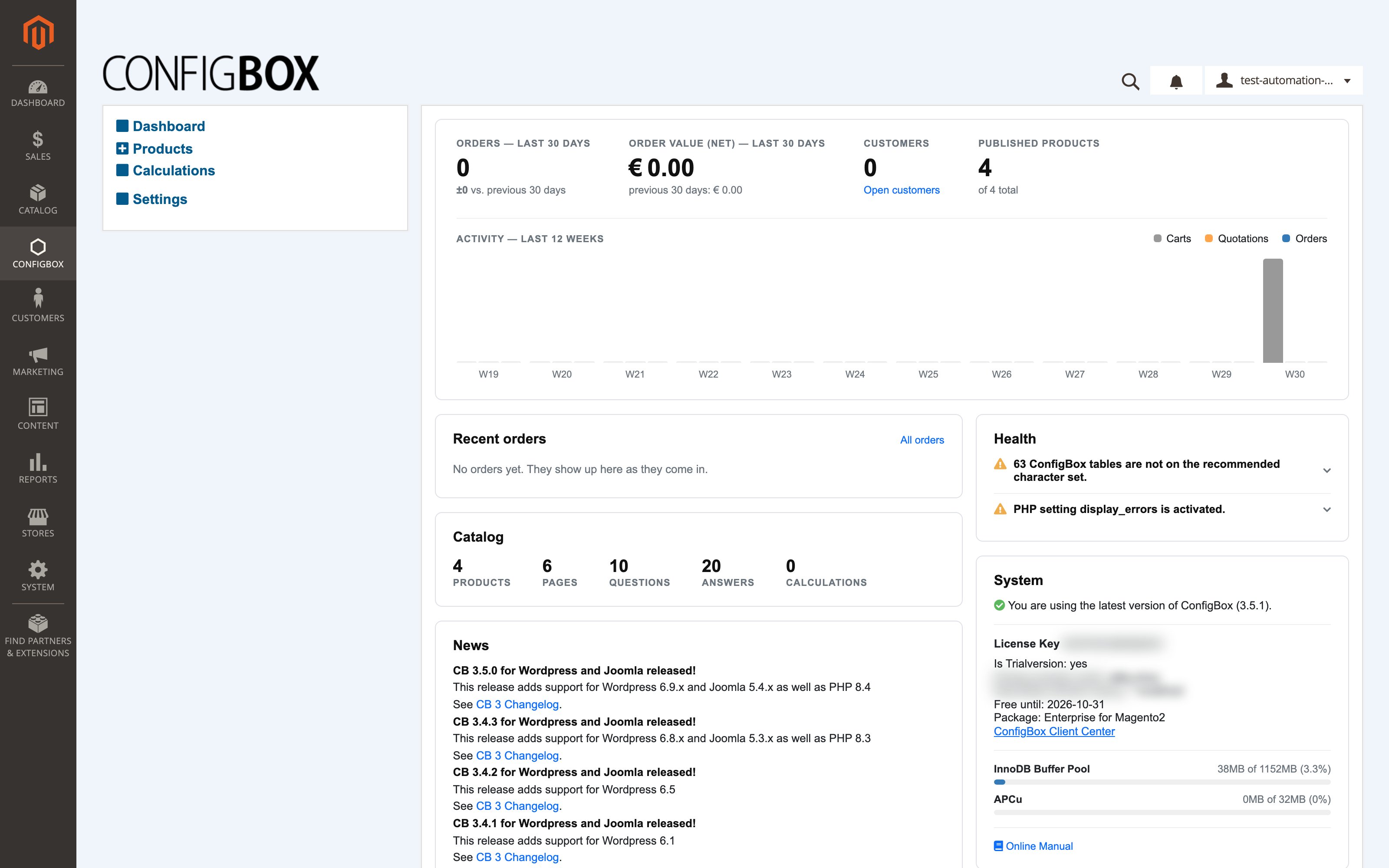
Because Magento owns the shop, the CBX menu on Magento shows only four entries: Dashboard, Products, Calculations, Settings. Everything else this guide's getting-started menu tour lists — Orders, Customers, Reviews, Product Lists, Countries, Shipping, Payment Methods, Store Information, Customer Fields, Notifications — is deliberately hidden, because those jobs are done in the corresponding Magento screens (table above). Nothing is broken and nothing needs enabling.
Which parts of this guide apply to you
| System | On Magento 2 |
|---|---|
| Getting started | Read it — the list/edit screen conventions and the dashboard work the same. Skip the menu entries your menu doesn't show. |
| Products & configurator | Fully applies — this is your main manual. (Exception: product lists — Magento's catalog does that job.) |
| Rules — conditional logic | Fully applies. |
| Pricing & calculations | Fully applies for building prices. Taxes and currency come from Magento, not from CBX screens. |
| Customers, taxes, shipping & payment | Skip it — all of it is Magento's job. |
| Orders & daily operations | Skip it — orders, customers, reviews and emails are Magento's. There are no order records inside CBX on Magento. |
| Store settings | Partly applies — the Settings screen exists, but its commerce/checkout sections (and Store Information / Customer Fields) are hidden on Magento. |
Where the configured product shows up
When a customer configures a product and adds it to the cart, the Magento cart line shows the selected answers as the item's option value, priced at the CBX-calculated price.
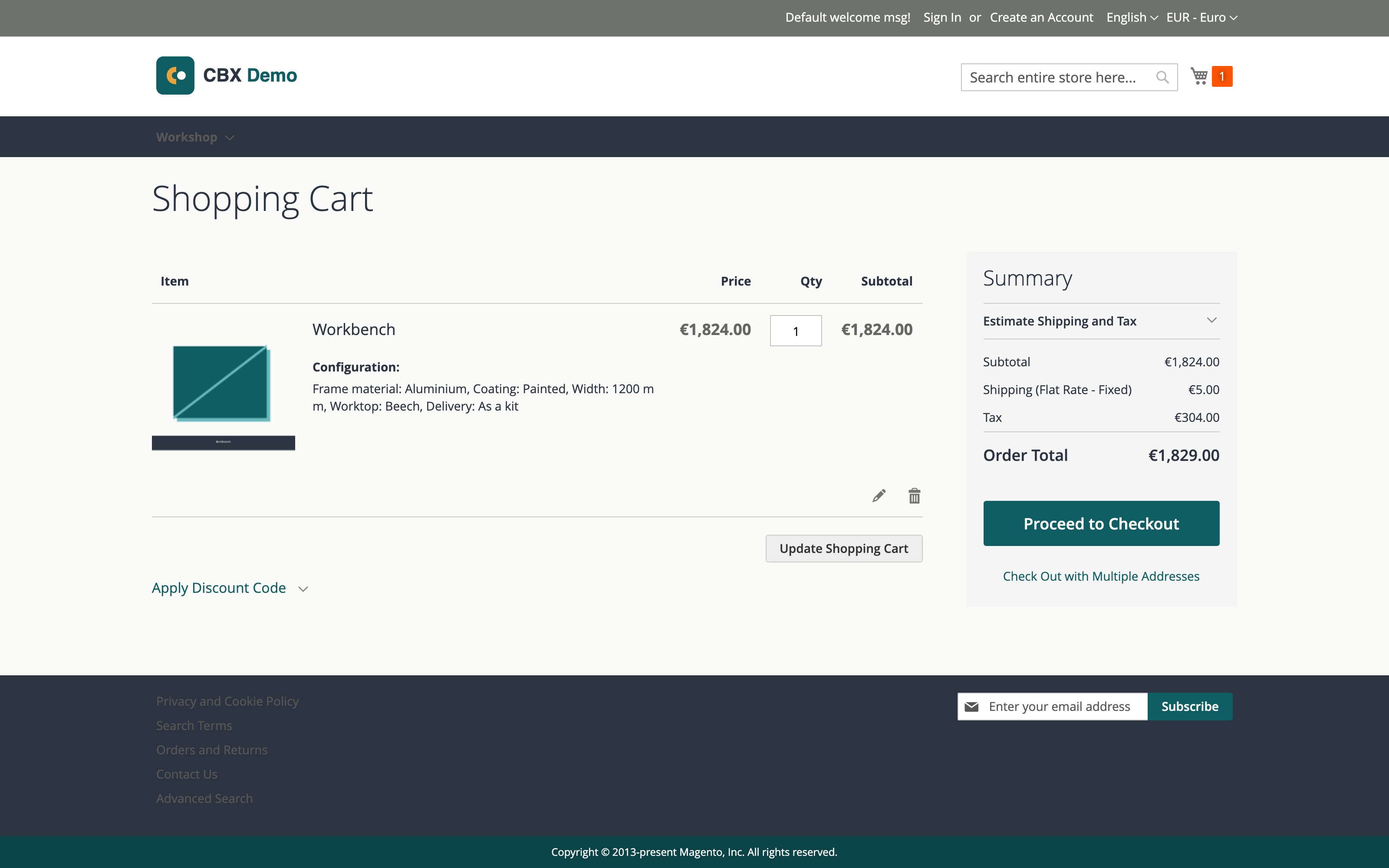
The Magento order carries the same selection summary plus the answer SKUs on the line item — that is what fulfilment works from. From cart onward, everything (checkout, order status, invoices, emails, refunds) is standard Magento — note the tax, shipping and totals above are all Magento's, computed from the configured price.
Good to know
- CBX settings are not under Stores → Configuration. They live in Configbox → Administration → Settings — Magento's system configuration has no CBX section on purpose.
- Don't look for orders inside CBX. The Orders screen doesn't exist on Magento; use Sales → Orders.
- CBX sends no email on Magento. If an article mentions notification emails, that's the other platforms — here, Magento's emails cover the order flow.
- Quotations, saved carts, CBX customer accounts and CBX reviews are part of CBX's own checkout on other platforms and are not available on Magento — use Magento equivalents where they exist.
- One CBX configuration per Magento product. A Magento product can carry exactly one CBX product link (see connecting products).
For developers and integrators (installation, command line, technical behavior) →
docs/platform/magento2/com_configbox_magento2_platform_guide.md