Connect a CBX product to a Magento product
- Version
- 3.x
- Updated
Audience: store admins on Magento 2 · Scope: making one Magento catalog product configurable · Last reviewed: 2026-07-25
What this does — Puts the CBX configurator on a Magento product's storefront page. The customer configures right on the product page and adds the result to the normal Magento cart.
Before you start
- Build the CBX product first — pages, questions, answers, rules, prices — in Configbox → Administration → Products (see Products & configurator). You can refine it later; the link doesn't need rebuilding after changes.
- Have the Magento catalog product ready (or create it now) — a simple product is the usual choice. Its Magento price is what a customer pays without configuring; the configured price replaces it in the cart.
Steps
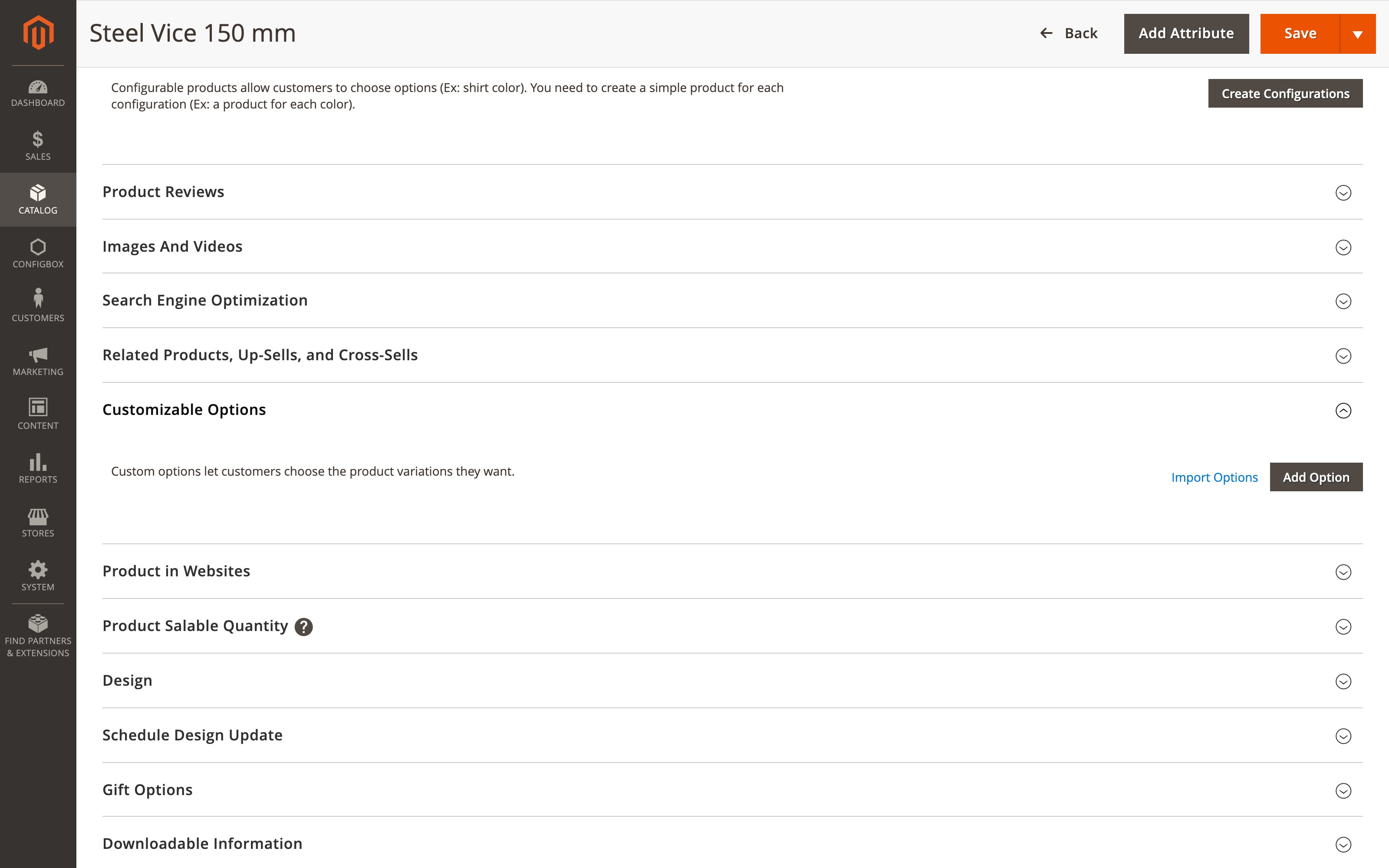
- In the Magento admin, open Catalog → Products and edit the product.
- Scroll to Customizable Options and click Add Option.
- Set the new option's type to CBX Configuration (in the Rovexo group of the type dropdown).
- In the Select Configbox Product to Associate dropdown that appears, pick the CBX product to attach.
- Save the product.
What happens next
The configurator renders automatically on that product's storefront page — the questions in the product-options area, the visual preview in the image/gallery area. There is nothing to place, no widget and no page edit: the custom option is the only attachment point, and it is enough.
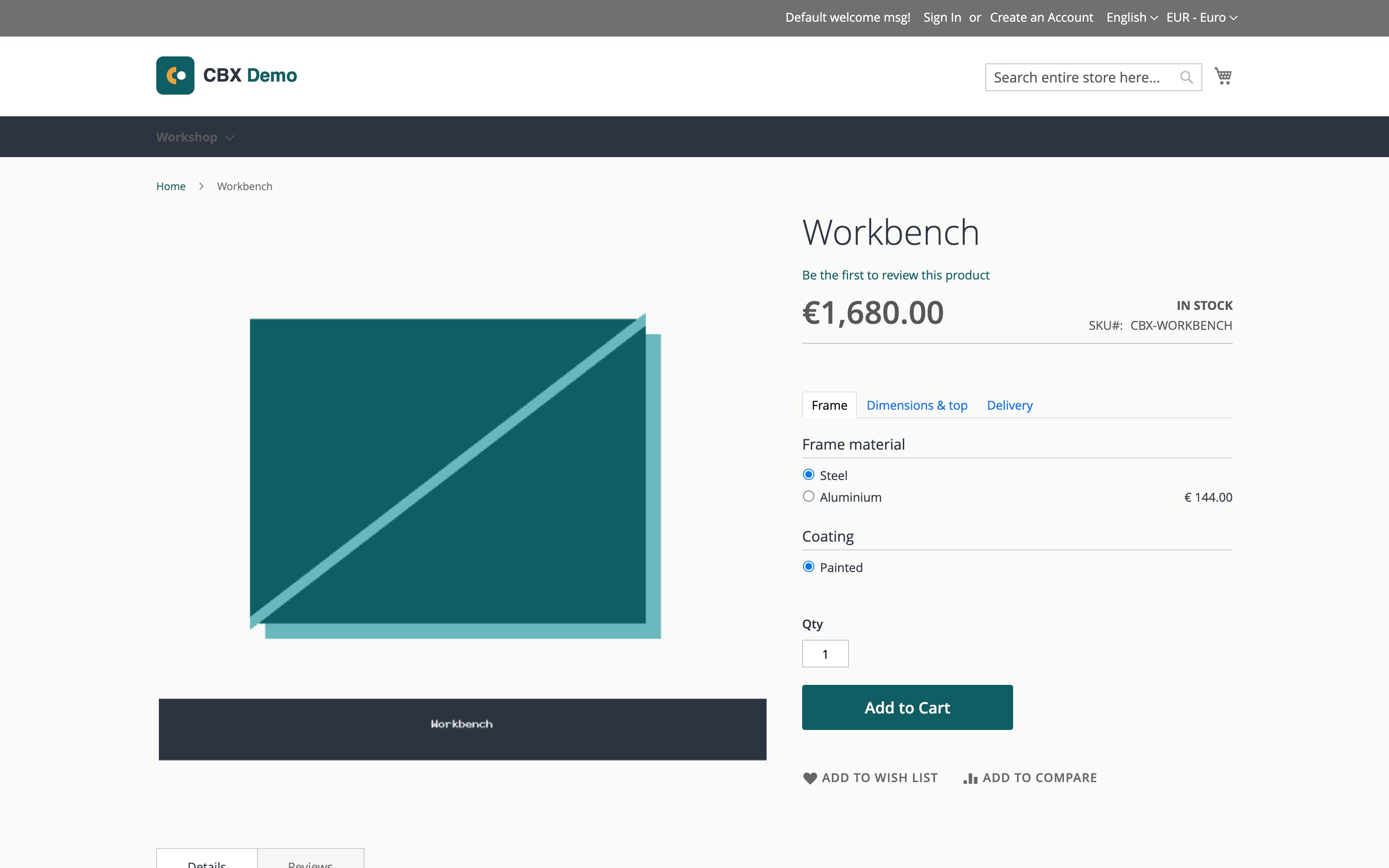
The price above the questions is the CBX-calculated total, updated live as the customer chooses; Add to Cart is Magento's own button, unchanged.
Good to know
- One CBX configuration per Magento product. The link supports exactly one CBX product; adding a second CBX-type option is not supported and silently keeps only one. To offer two configurable products, use two Magento products.
- Duplicating the Magento product keeps the link — the copy points at the same CBX product.
- Prices and tax follow Magento. The configured price is calculated by CBX but taxed by the Magento product's tax class, so the storefront price display matches the rest of your store.
- The same CBX product can be attached to several Magento products — for example one configurator behind several catalog entries per store view.
Troubleshooting
- No "CBX Configuration" type in the dropdown — the CBX module isn't (fully) installed on this Magento instance; ask whoever maintains the site.
- The configurator doesn't appear on the product page — check the option was saved with a CBX product selected, and that the CBX product is published (see add a product).