Edit from the storefront as a manager
- Version
- 4.0 preview
- Updated
Audience: store admins · Scope: in-context editing from the storefront · Last reviewed: 2026-07-23
What this does — When you're signed into your site as a store manager, the storefront configurator gains inline edit controls. You can adjust a question or answer while looking at the live product — the exact thing the customer sees — instead of guessing from the back-office form.
Before you start
-
Be logged into your site with a manager/administrator account (the same account you use for the CBX back office).
-
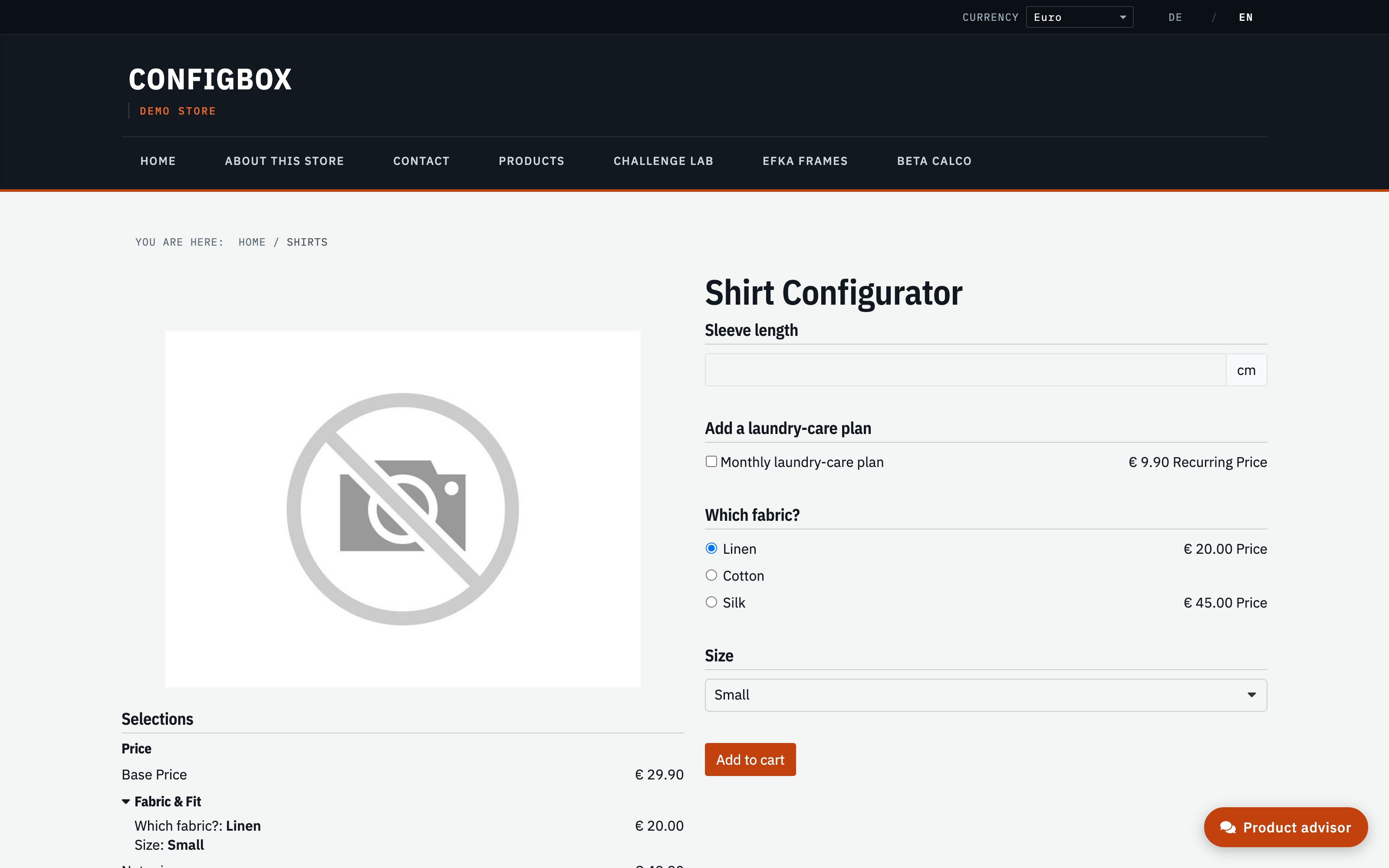
Open the product on the storefront and start configuring it:
Steps
- Hover a question or answer. As a logged-in manager you get an inline edit control on it that a normal shopper never sees.
- Click it. The matching back-office edit form opens in context — the same question or answer form you'd reach from Products, but launched from where you were looking.
- Change the label, price, ordering or rule, and Save.
- Reload the storefront page to see the change live, and keep going.
What happens next
Your edit is a normal back-office change — it takes effect for every customer immediately. The inline controls are only ever shown to signed-in managers; shoppers see the clean configurator.
Good to know
- This is the "build a little, then look at the storefront" loop from how a product fits together — it just saves the round trip back to the admin tree for small tweaks.
- The forms you reach this way are the same ones documented in add pages and questions and add answers; the fields and rules behave identically.
- For structural work — adding pages, reordering the tree, bulk changes — the back-office Products screens are still the better place; inline editing shines for quick, in-place fixes.