Handle quotations and saved carts
- Version
- 3.x
- Updated
Audience: store admins, back-office staff · Scope: the quotation and saved-cart flows · Last reviewed: 2026-07-23
What this does — Not every configured cart is a purchase. CBX gives customers two non-buying exits from the cart — Request Quote and Save Cart — and both land in the same Orders list as real orders, with their own statuses, so you can follow them up.
The two flows, from the storefront
Besides Checkout, the cart offers Save Cart and Request Quote:
- Save Cart — the customer gives a name and email, and the cart is stored. It reappears in their account under Order History with status Saved, ready to reopen and finish later.
- Request Quote — opens the Get a quotation address form; after Get Quote the customer reaches a "Thank you, your quotation is ready to download" page with a Download button. The request arrives in Orders with status Quotation requested, and becomes Quotation sent once you issue the quote.
Neither is a purchase: no payment is taken, and nothing ships until the customer comes back and checks out (or you convert the quote).
Finding them in the back office
Open Orders in the CBX menu. Quotations and saved carts sit in the same list as orders:
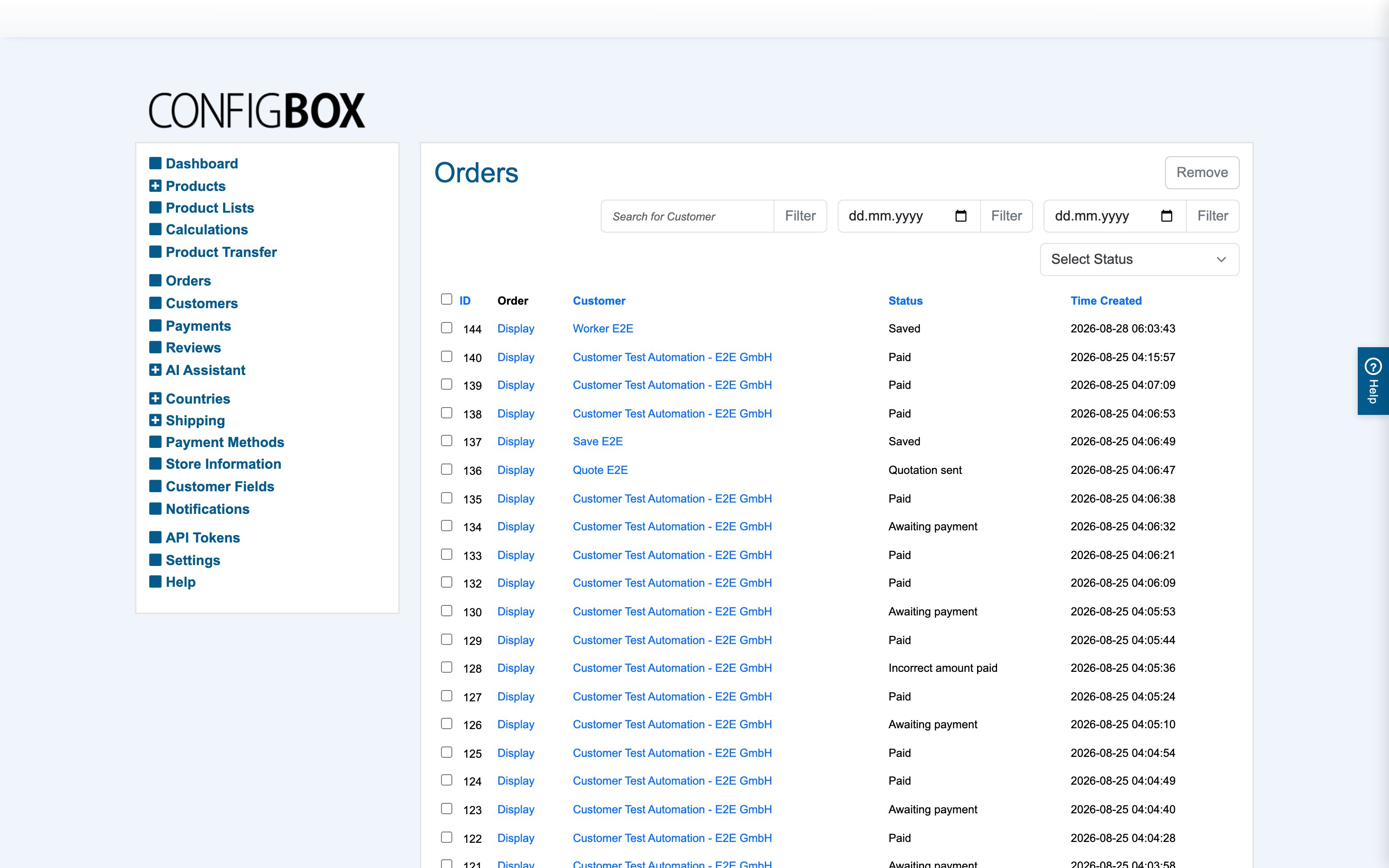
The list shows ID, Order (its Display link), Customer, Status and Time Created. Narrow it with Search for Customer, the two date filters, or the Select Status dropdown — pick a quotation or saved status to see only those. Here, customer "Demo Alex" has a Saved cart and a Quotation sent.
Following up
- A quotation: open it with Display, review what was configured, and issue the quote — the flow produces a quotation PDF (not an invoice). Sending it moves the status to Quotation sent; if the customer accepts, they proceed to a normal order.
- A saved cart: it's the customer's to resume from their account — you mostly leave it be, but it's visible here so you can see demand that hasn't converted yet.
Good to know
- These share the order status lifecycle; a status change can fire its notification email, same as for orders — see set up the order emails.
- The everyday order routine — reading positions, driving status, invoices, manufacturing slips — is in process an order; this article is only the non-purchase side.
- Abandoned guest saved carts and quotations are cleaned up automatically after the lifetime set in Settings → Maintenance; give real prospects an account so their records persist.