Copy and retire products
- Version
- 3.x
- Updated
Audience: store admins · Scope: duplicating and taking down products · Last reviewed: 2026-07-23
What this does — Two housekeeping jobs. Copy duplicates a whole product — its pages, questions and answers — so you can build a variant without starting over. Retire takes a product off the storefront without deleting it, so its past orders stay intact.
Before you start
-
Both actions live on the flat Products list — open Products in the CBX menu. (This is the list view; the product tree is the other way in.)
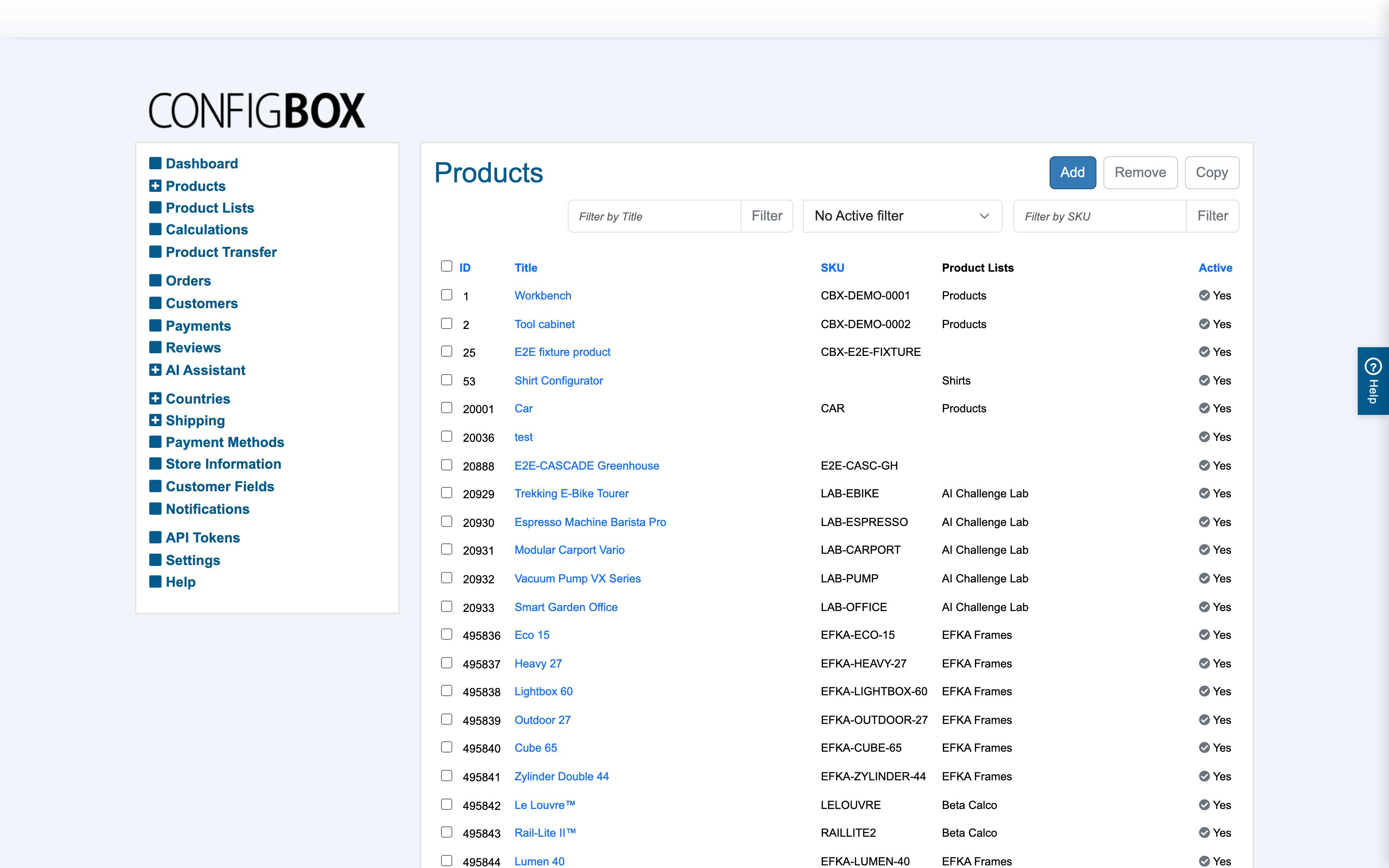
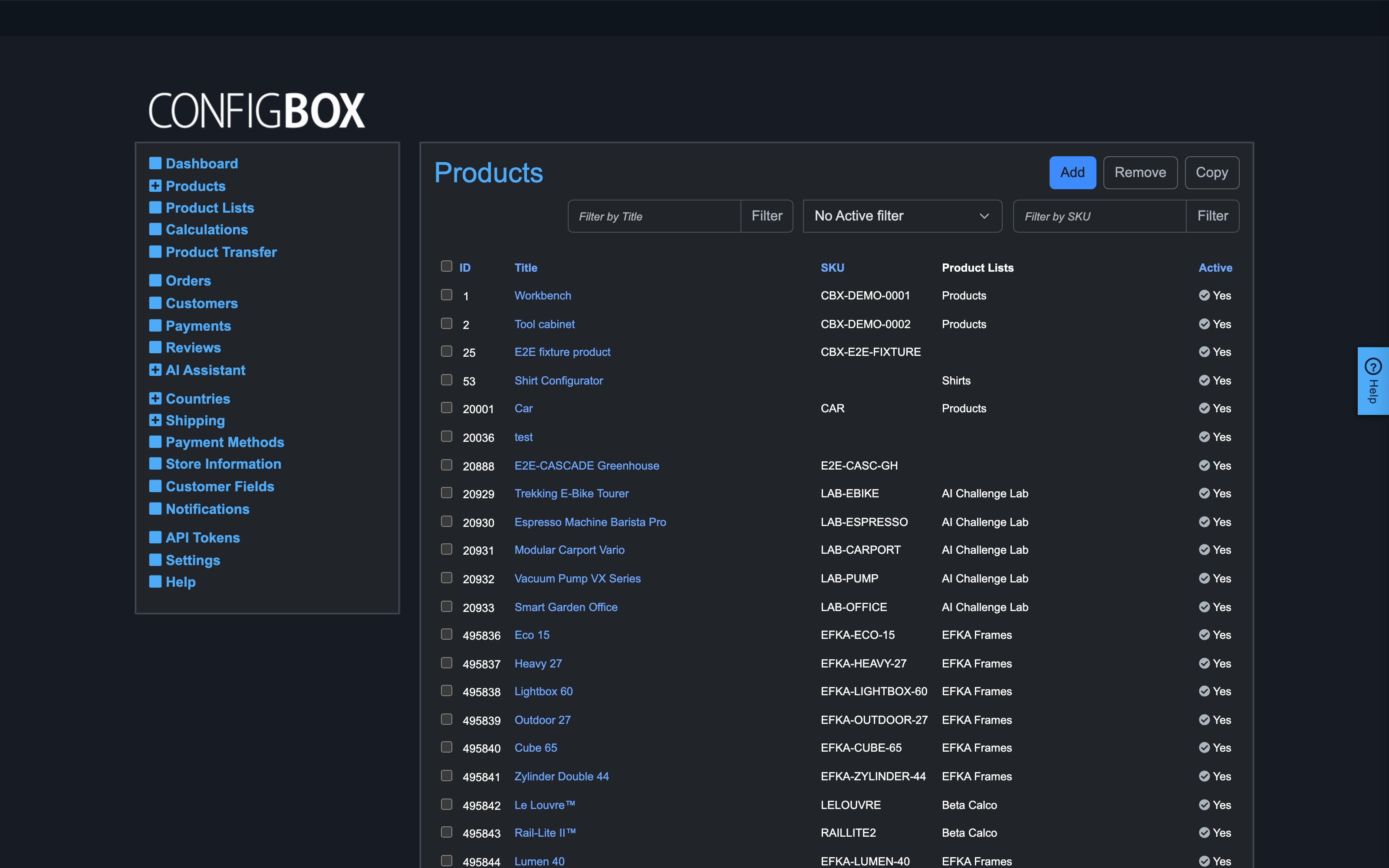
The list shows each product's ID, Title, Product SKU, Base Price, Base Price Recurring, Should the product be displayed? and its product list.
Copy a product
- Tick the checkbox next to the product you want to duplicate.
- Click Copy. CBX creates a new product carrying the whole structure — every page, question and answer, with their prices and rules.
- Open the copy and rename it (and its SEF segment), adjust what differs, and place it in the right product lists. The copy is fully independent of the original.
Retire a product (take it offline)
- Open the product's edit form (Product: …).
- In General, set Should the product be displayed? to No.
- Save.
The product vanishes from the storefront and its list pages immediately, but the record — and every order ever placed for it — stays exactly as it was. Set it back to Yes to bring it back.
What happens next
A copied product is live the moment you place it in a displayed list and set it to display. A retired product disappears from browsing and direct links, while its order history stays readable in Orders.
Good to know
- Retire, don't Remove, for products that have sold. Remove (the button beside Copy) deletes the product permanently; a product referenced by past orders should be retired instead, so the order records stay complete.
- Copy is the fast way to make a "same but different" product — a second size range, a seasonal variant — then prune what you don't need on the copy.
- Retiring the product doesn't touch its detail panes or calculations; they come back with it when you display it again.